
Urgent care runs on unpredictability. Some patients book online an hour ahead, others walk in with no warning, and a quiet morning can turn into a full waiting room by noon. Scheduling software for an urgent care clinic has to handle both planned and unplanned visits without slowing the front desk down. This page explains what to look for and how Zonoir supports it.
What urgent care clinics need from scheduling software
Same-day booking.
Patients should be able to see today’s openings and book in a few taps, not wait for a callback.
Walk-in handling.
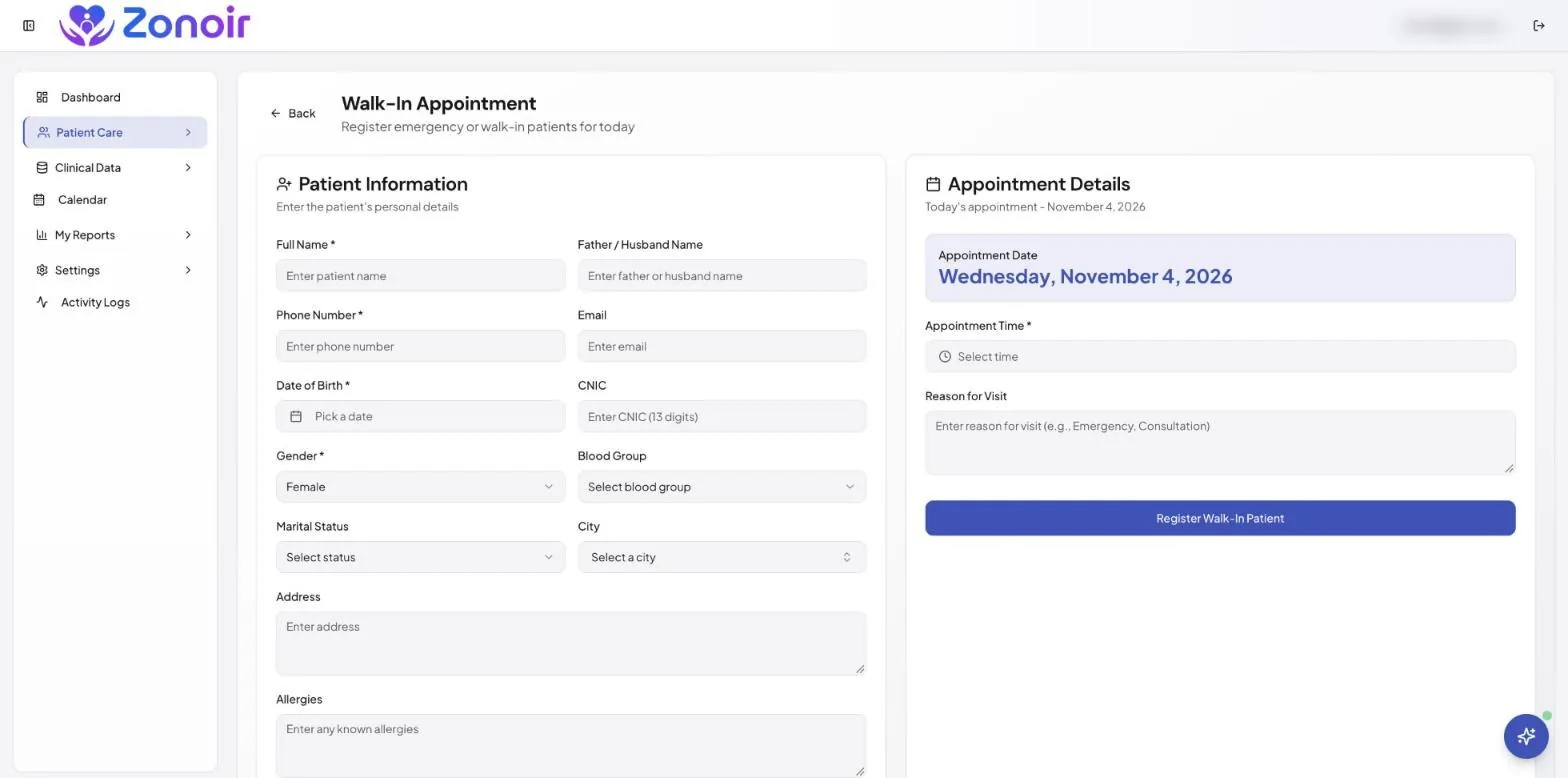
Walk-ins need to be added to the day’s schedule quickly, so the team can see the real workload.
A clear patient flow.
Everyone from reception to the clinician should see who has booked, who has arrived and who has been seen.
Fewer no-shows.
Even a short-notice appointment can be missed. Automatic reminders help.
Records that follow the visit.
The notes, diagnosis and prescription should save to the patient record without retyping.
How Zonoir supports an urgent care workflow
Online booking with live availability
Patients can book from a public doctor profile with live availability, at any hour. Reception spends less time on the phone, and patients pick a time that actually suits them. Read more about appointment scheduling software in Zonoir.
Walk-ins and waitlists in the same schedule
Zonoir manages walk-ins and waitlists alongside booked appointments, so openings created by cancellations can be filled quickly rather than lost.
Booked, Arrived and Completed at a glance
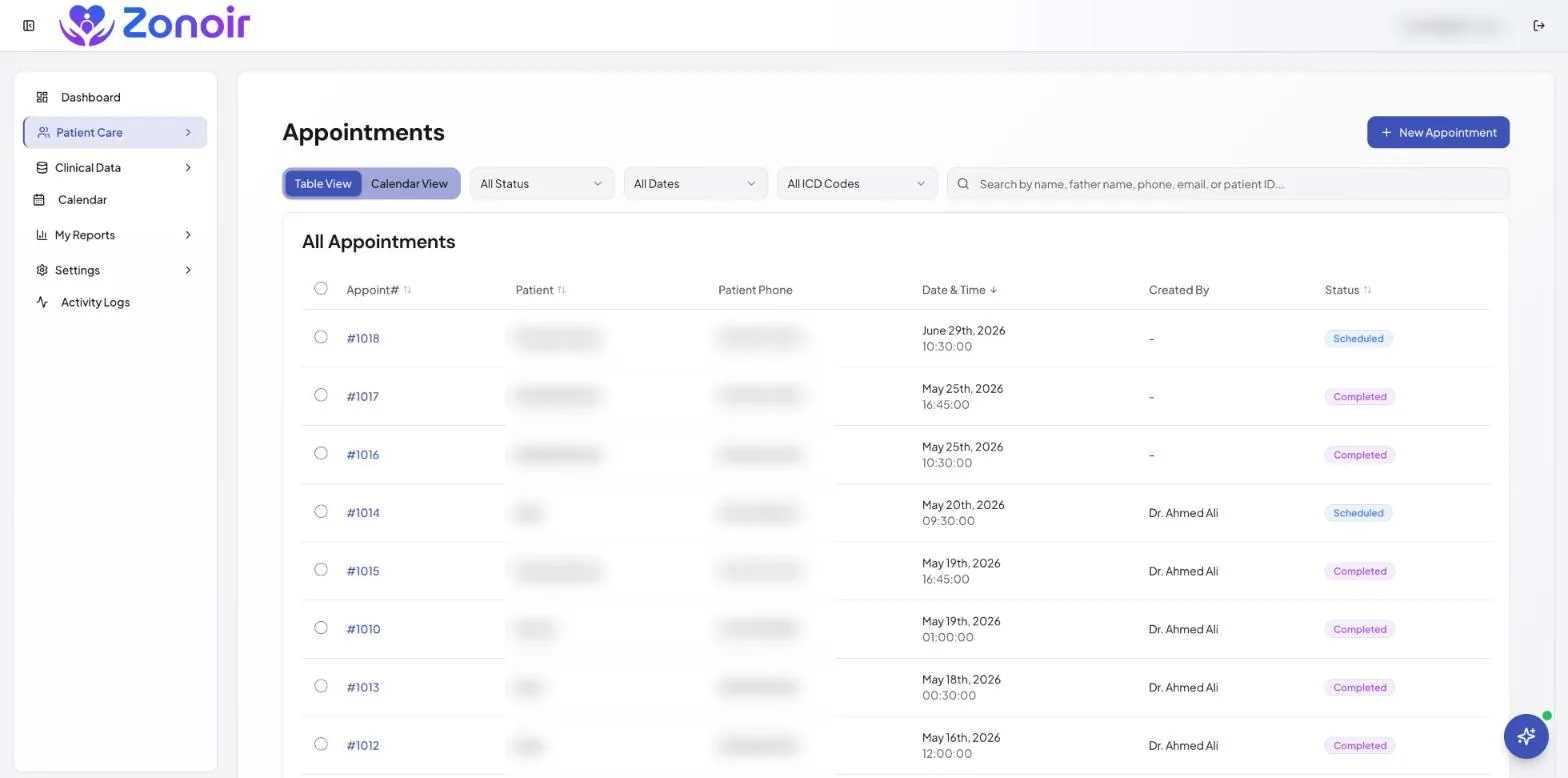
Each appointment moves through a simple Booked, Arrived and Completed flow. The front desk can see bottlenecks as they happen and tell patients realistic waiting times. Our guide on reducing patient wait times shows how clinics use this view.
Automatic reminders by SMS, email and WhatsApp
Reminders go out for every appointment without anyone remembering to send them, and patients can confirm or cancel from the message. Learn more in our guide to reducing patient no-shows.
EMR and prescriptions in the same system
Once the patient is in the room, the clinician records the visit in the EMR and issues a clinic-branded prescription with e-prescription software. Nothing needs to be entered twice.
A typical urgent care day in Zonoir
- Morning slots are open for online booking, so predictable demand fills the schedule.
- Walk-ins are added as they arrive and appear next to booked patients.
- The front desk marks each patient as Arrived, and clinicians see the queue for their own list.
- After each visit, notes and prescriptions are saved to the record and the appointment is marked Completed.
- Reports show how busy each day and time slot is, so you can plan staffing.
Pricing that suits a growing clinic
Zonoir costs $35 per practitioner per month (limited-time price, was $49), with every feature included and unlimited staff accounts. There are no message credits to buy for reminders. See pricing for details.
Frequently asked questions
Can urgent care patients book same-day appointments online?
Yes. Patients can book from a public doctor profile that shows live availability, and your team can still add walk-ins manually.
Does Zonoir handle walk-in patients?
Yes. Zonoir manages walk-ins and waitlists alongside booked appointments, and each visit moves from Booked to Arrived to Completed.
Can I send appointment reminders to patients?
Yes. Reminders can be sent by SMS, email and WhatsApp, and they are included in the plan.
Is there a free trial?
Yes. Zonoir offers a 14-day free trial with every feature and no credit card required.
Run a smoother urgent care day. Start a 14-day free trial of Zonoir, or talk to our team about your clinic.