
Dermatology practices see a steady flow of repeat patients: acne and eczema follow-ups, skin checks, procedures and long-term treatment plans. A visit is often short, the same patient returns many times, and the real value comes from remembering what was tried last time. The software behind the clinic needs to keep visit history tidy, make repeat prescribing quick and stop follow-ups from slipping through the cracks. This page explains how Zonoir supports dermatology clinics, from the first booking to the tenth review visit.
What dermatology clinics need from their software
Reliable follow-up scheduling
For treatments that run over weeks or months, such as isotretinoin reviews, phototherapy courses or post-procedure checks.
Complete visit records
With diagnoses, notes and treatment history in one place, so the doctor never starts from a blank page.
Fast repeat prescribing
For topical and oral treatments, without retyping the same regimen every visit.
Reminders
That cut down missed review visits, which matter most when a treatment plan depends on timing.
Clear billing
For consultations and procedures, including discounts.
Room for growth
Because many dermatology clinics add practitioners, nurses or a front desk over time.
How Zonoir fits a dermatology clinic
EMR with ICD-coded diagnoses
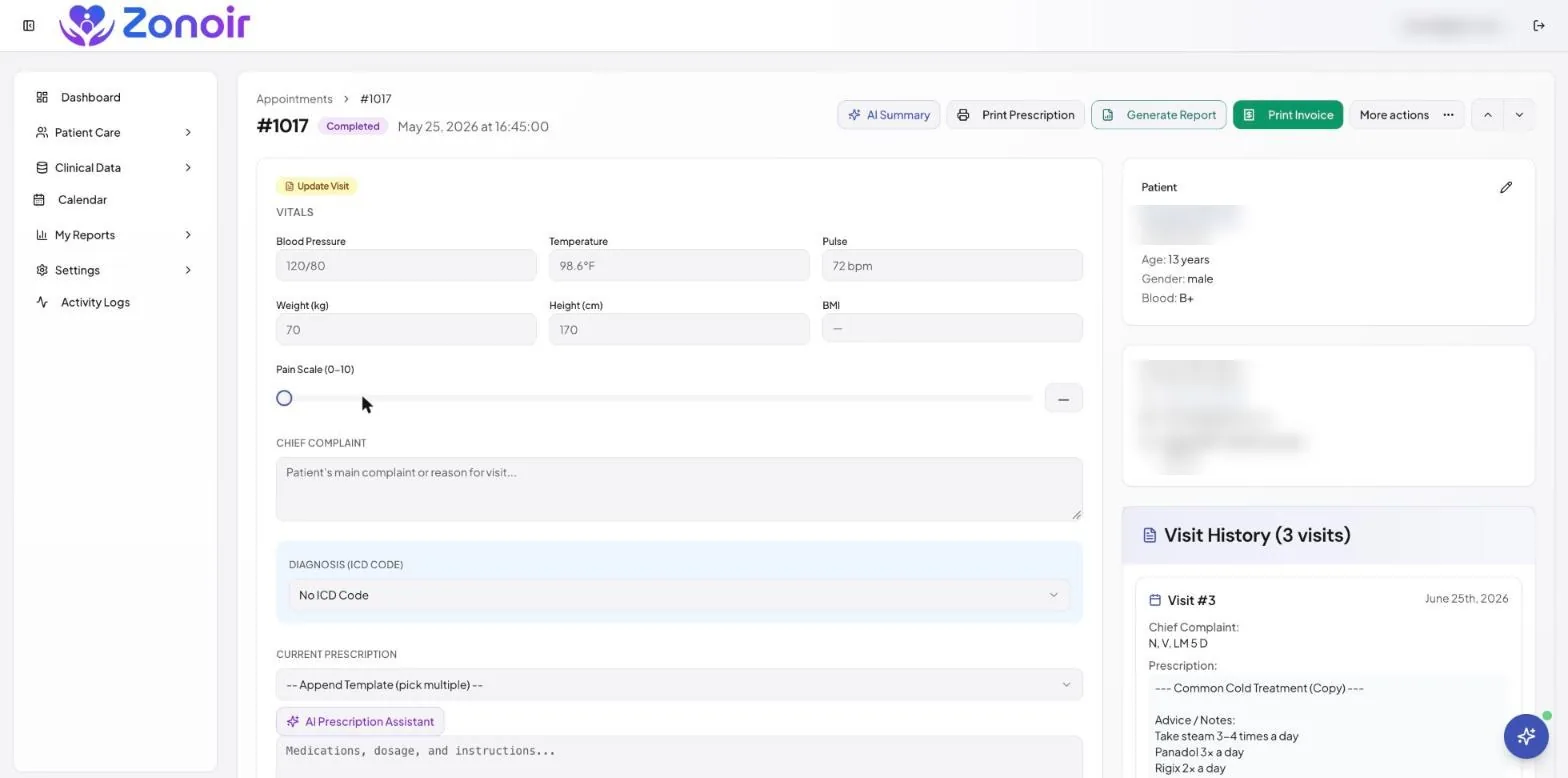
Record each visit in the EMR with ICD-coded diagnoses, vitals and visit history. When a patient returns for an eczema flare, the doctor can see the previous diagnosis, what was prescribed and how the patient responded before the consultation starts. That context saves time in the room and makes the record more useful for the next visit.
Prescription templates for common regimens
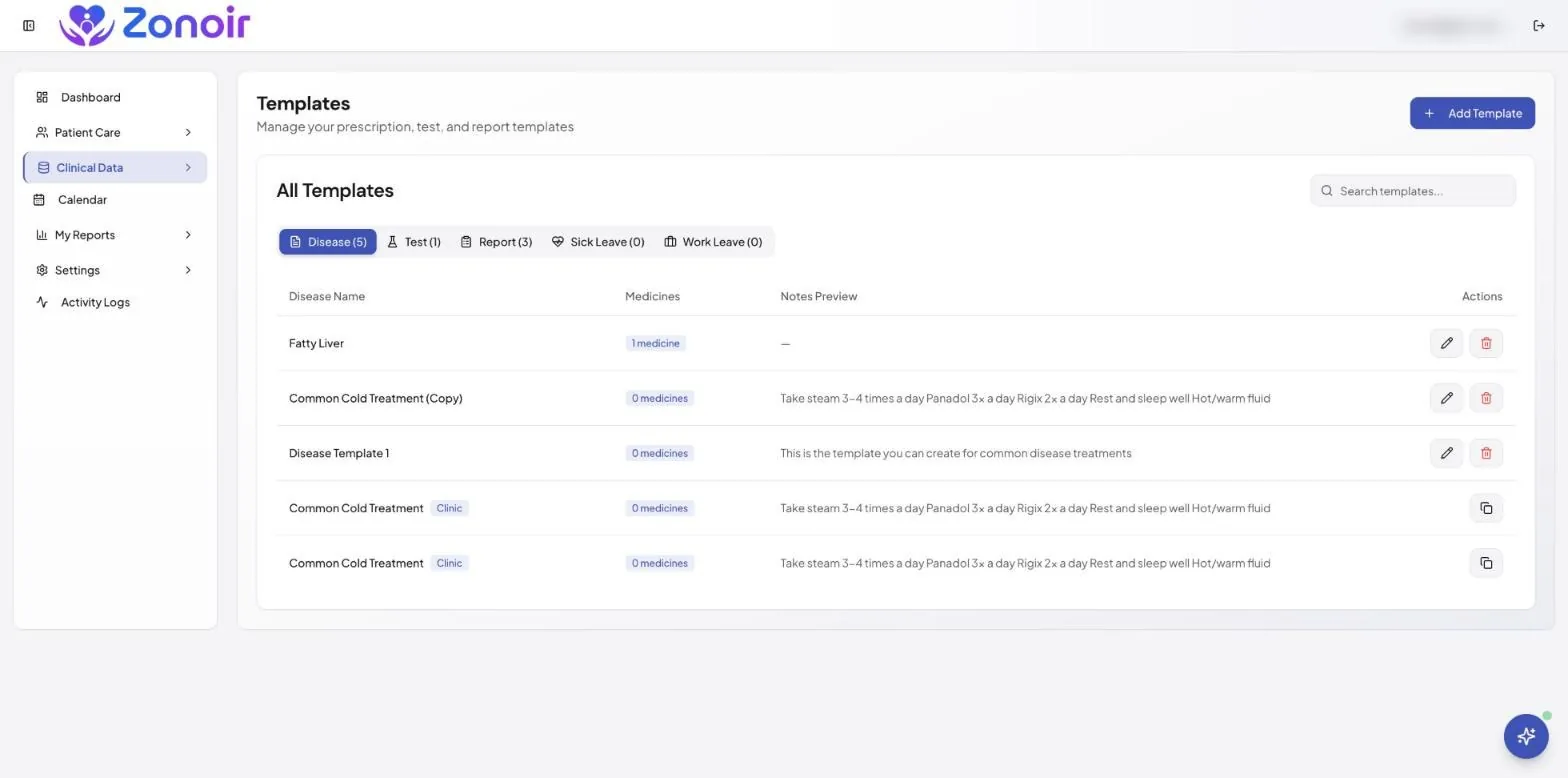
Create clinic-branded prescriptions from saved templates with e-prescription software. Dermatology uses a relatively small set of regimens over and over, such as standard acne protocols, steroid taper schedules and moisturiser and wash combinations. Save each one once, then produce a full prescription in a few clicks. An optional AI prescription assistant can suggest entries, and the doctor always makes the final decision.
Follow-ups that actually happen
Book the next visit before the patient leaves, then let automated reminders by SMS, email and WhatsApp do the rest. AI patient insights flag patients who are overdue for a follow-up, which helps the front desk reach out to people who have drifted away from a treatment plan. You can read more about how this works on our patient reminder software page.
Billing and revenue tracking
Use billing and finance tools to track revenue, discounts and expenses, including the split between clinic and doctor when practitioners share the clinic.
Video consultations for review visits
Some follow-ups do not need an in-person visit. Zonoir includes video consultations, so a doctor can review progress on a stable treatment plan remotely and keep in-person slots for new patients and procedures.
A typical patient journey in Zonoir
- The patient books an appointment and receives an automatic confirmation and reminder.
- The doctor opens the patient’s record, reviews past visits and records the new diagnosis with an ICD code.
- The doctor issues a prescription from a saved template, adjusting the details for this patient.
- The front desk books the review visit and the system sends reminders as the date approaches.
- Billing is recorded against the visit, and revenue reports update for the clinic and the doctor.
What to check when choosing dermatology software
- Can you reuse prescription templates, or must every prescription be typed from scratch?
- Does the record show the full visit history at a glance?
- Do reminders go out automatically, and on the channels your patients use?
- Is pricing per practitioner, and do staff accounts cost extra?
- Can you try it with real workflows before you pay?
Pricing
$35 per practitioner per month (limited-time price, was $49), with every feature and unlimited staff accounts. See pricing, or compare Zonoir with other platforms on our comparison hub.
Frequently asked questions
Does Zonoir support dermatology practices?
Yes. Zonoir supports 53+ specialisations, including dermatology, with EMR, prescriptions, scheduling and billing in one platform.
Can I save prescription templates for common treatments?
Yes. Reusable templates let you create a full prescription in a few clicks, and you can adjust the details for each patient.
How do I reduce missed follow-up visits?
Book the next visit at checkout and use automated SMS, email or WhatsApp reminders. AI patient insights also help you spot patients who are overdue.
Can nurses and front-desk staff use it too?
Yes. Staff accounts are unlimited and do not add to the per-practitioner price.
Can I try it before committing?
Yes. There is a 14-day free trial with every feature and no credit card required.
Other specialty guides
Running a different kind of practice? See our guides for paediatric clinics, gynaecology clinics and cardiology clinics, or browse all features.
Try Zonoir in your dermatology clinic. Start a 14-day free trial, or talk to our team.